



Gift Registry and Wish Lists
The wish list and gift registry feature allows you to create
your own list of items in your account which can be purchased at
a later date. It also allows for the creation of lists which can
be sent to friends and family for occasions such as birthdays,
weddings etc. so you can purchase the items which the list owner
has requested.
Once you have logged in, you should see the following screen where you can manage all the details of you account, including the new gift registry feature.
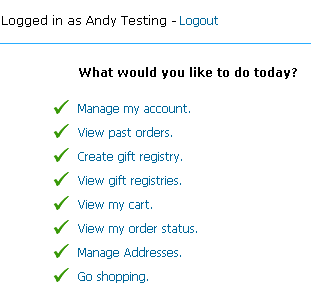
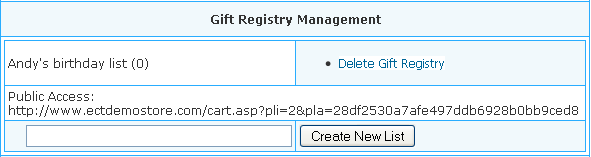
Clicking on the link to "Create gift registry" will take you to the relevant section in the client login page where you can view and manage your wish lists. This is where your wish lists will be shown along with the number of items in each list and the URL that can be sent to friends so they can purchase from your list.
Items can added to list from the products and / or product
detail pages. A link will be added below the buy button which
will give a drop down menu of the lists available.
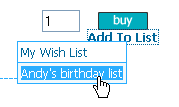
As you can see from the screen shot above, you have the choice to add an item to a gift registry (in this example one we set up called Andy's birthday list) or to My Wish List. My Wish List is your own personal list that you can add items to for purchasing at a later date. It's not a public list and can only be viewed once you are logged into the store. You can move items between lists, move them to cart or delete them.
You can have as many Gift Registries as you need and one personal list under "My Wish List".
Happy shopping!
Quick Links
Tell Me More
Account & Help
Log InMy Account
My Cart
My Wish List
Order Status
Track My Order
Returns Policy
Privacy Policy
Contact Us
